Product tour
See SolidBot inside SOLIDWORKS.
A walkthrough of the add-in in development — from building the cell and calibrating the tool, to teaching motion, welding, and material handling, all on live assembly geometry.
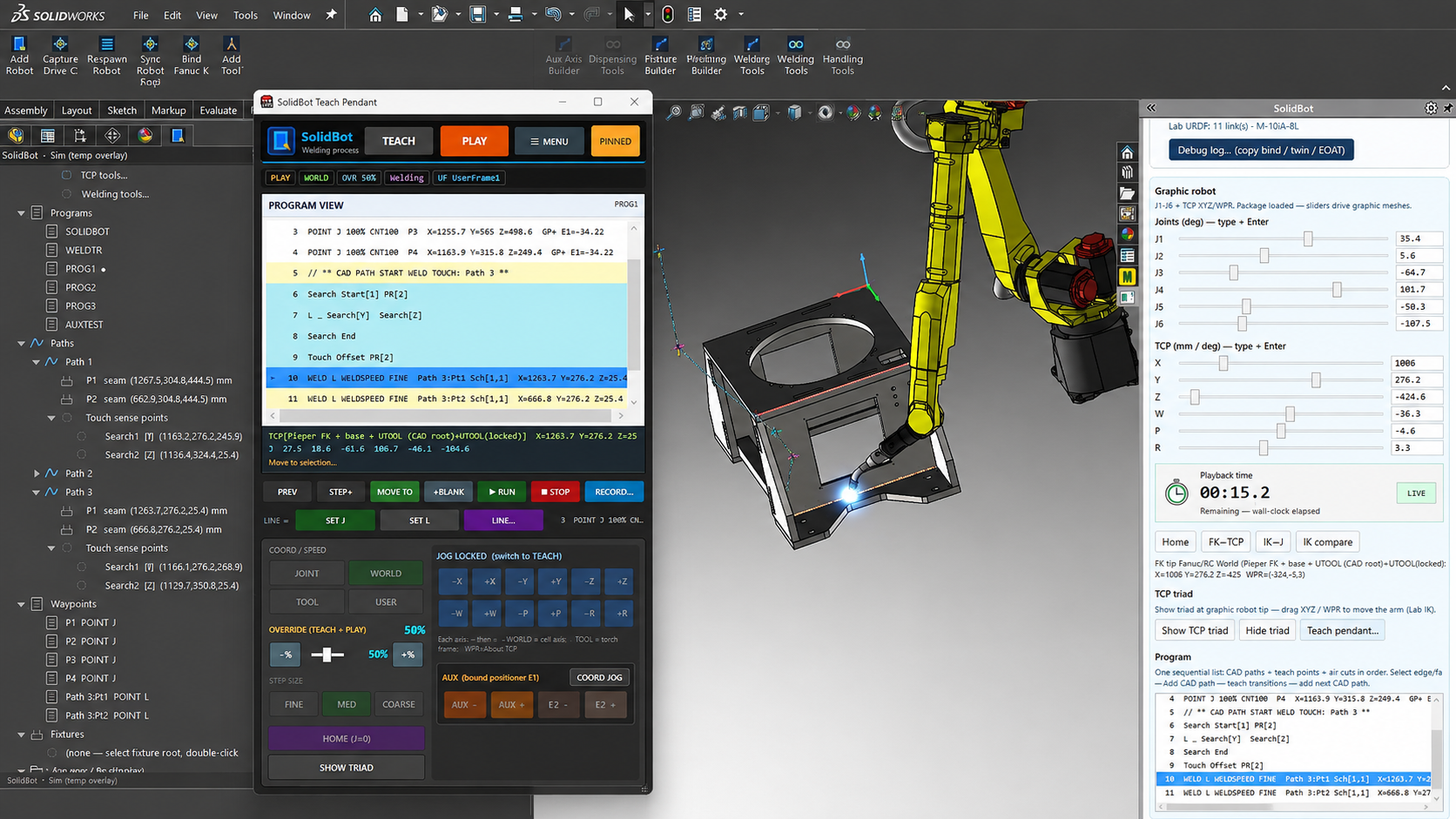
Representative SolidBot development view — welding with touch sense inside SOLIDWORKS.
Cell setup
Build the cell inside SOLIDWORKS
Define the robot, tooling, fixtures, and auxiliary axes as native SOLIDWORKS data — no separate cell model to rebuild or keep in sync.
Calibration & TCP
Tie CAD to the real robot
Reconcile the CAD tool center point with the physical robot, manage position registers, and control on-screen visualization.
Teaching & simulation
Teach, simulate, and play back motion
A SOLIDWORKS-native teach pendant drives the graphic robot, records points, generates paths from CAD, and plays the program back in simulation.
Robotic welding
The launch application
Weld-path generation is the launch focus. Touch sensing, weave, and seam tracking are in active development; multi-pass welding is planned.
Material handling
Pick, place, and palletize
HandlingTool-based material handling built from the same CAD-native workflow. Pick and place is in active development; palletizing and depalletizing are planned.
Multi-axis & positioners
Coordinated motion and positioners
Model headstock positioners and multi-group motion alongside the robot on the same cell. Coordinated positioners are in active development.
Early-access waitlist
Join the SolidBot early-access waitlist.
Tell us which FANUC robot, controller, process, and SOLIDWORKS release you use. We'll use that information to evaluate technical fit, prioritize development, and identify candidates for early-access reviews.